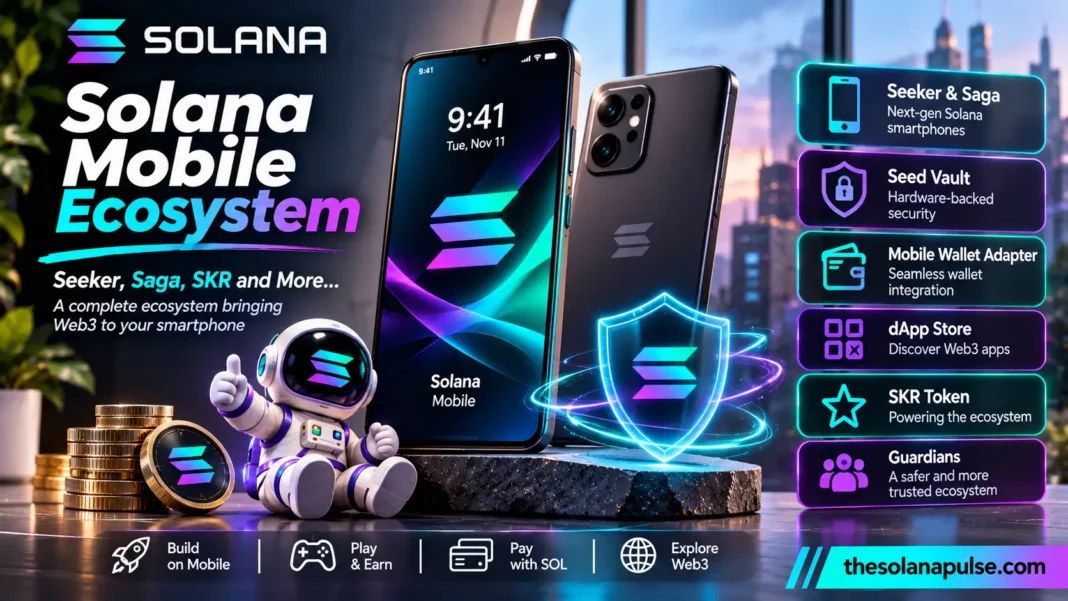
The Solana Mobile ecosystem is an effort to make blockchain applications feel like ordinary mobile software without surrendering control of digital assets to an application developer. It combines mobile hardware, a protected signing environment, wallet software, app distribution and an ecosystem token. A user can browse an application, authorize a Solana transaction and return to the application without treating a recovery phrase as a login password.
This guide explains what Saga and Seeker represent, how Seed Vault and Mobile Wallet Adapter work together, what the Solana dApp Store actually does, and how Seeker identity and SKR fit into the ecosystem. It also examines the trade-offs involved in using a phone as an everyday transaction device. For the broader application landscape, explore our DeFi Hub and Gaming Hub.
Research reviewed November 25, 2026. Device availability, security support, reward programs and application compatibility can change. The workflows below are educational; the current official instructions and the transaction displayed by your wallet take precedence over any example in this guide.
- Solana Mobile is a hardware and software ecosystem, not a separate blockchain.
- Saga introduced the approach; Seeker is its next-generation phone with an integrated Seed Vault Wallet and dApp Store.
- Seed Vault isolates sensitive signing material, but it cannot guarantee that a transaction you approve is harmless.
- Mobile Wallet Adapter connects compatible applications to wallets without requiring the application to hold the recovery phrase.
- Seeker Genesis Token, Seeker ID, SOL and SKR perform different functions and should not be confused.
- As of November 2026, independent Guardians participate in app review; announced hardware integrations are not necessarily available today.
- Evaluate a phone on ordinary usability, support and security as well as blockchain features. Never treat promotional rewards as guaranteed income.
- Obtain a supported device through a trusted channel and verify the operating system and security updates.
- Set a strong device passcode and configure the official wallet using the documented setup flow.
- Create a fresh wallet for everyday activity and secure its recovery phrase offline.
- If eligible, follow the official wallet workflow for Seeker identity and Genesis Token setup.
- Install a verified application, connect the intended wallet and review a low-value transaction before signing.
- Check the signature and resulting balances on an explorer; keep substantial long-term assets separate.
1. What is the Solana Mobile ecosystem?
Solana Mobile is best understood as an integration layer between a general-purpose mobile device and on-chain applications. The phone runs ordinary applications, while a collection of tools makes blockchain-specific actions easier to discover and authorize. The blockchain remains responsible for executing transactions and storing account state. Owning a Solana-branded phone does not grant special consensus privileges or create a private version of the Solana network.
The important design problem is not how to fit a blockchain inside a phone. It is how to let an application request a signature without gaining unrestricted access to the user’s signing keys. A game might need proof that a particular wallet owns a collectible. A payment application might request an asset transfer. A trading application might build a transaction that calls several programs. Those are different requests, and a well-designed mobile experience makes the differences understandable before the user authorizes them.
There is also a distribution problem. Mobile software typically reaches users through centralized distribution channels or websites, each with its own policies and technical restrictions. Solana Mobile adds a crypto-oriented distribution channel and development tools. That does not make every application decentralized: its interface, backend, pricing service and customer support can still depend on a conventional company. A mobile application should be evaluated on its actual dependencies, not the word Web3 in its description.
How the mobile ecosystem connects to Solana
Builds a request for an account, signature or transaction.
Presents the request and manages account authorization.
Uses the selected security environment to authorize an approved request.
Executes valid submitted transactions; applications read the result.
The phone is a client of the blockchain, not a replacement for validators or network consensus.
2. Saga, Seeker and the expansion beyond one phone
Saga was Solana Mobile’s first shipped smartphone, introduced to users in 2023. Seeker followed in 2025. The transition is useful because it illustrates the difference between a hardware generation and a software ecosystem: developers can support compatible wallet protocols without designing an entirely new application for every handset. At the same time, device-specific security and identity capabilities require their own testing.
Seeker’s published specification lists a MediaTek Dimensity 7300 processor, 8 GB of RAM, 128 GB of storage and a 6.36-inch AMOLED display with a maximum 120 Hz refresh rate. Its 4,500 mAh battery, 5G connectivity and fingerprint sensor are conventional smartphone considerations alongside its crypto features. These specifications describe the device, not its ability to generate investment returns. Buyers should separately verify network compatibility, available warranty coverage, repair options and the current security patch policy in their country.
Solana Mobile has also described expansion to other manufacturers. In its November 23, 2026 update, it identified Ledger as its first hardware expansion partner, with a Seeker application planned for Ledger Atom. An announced integration should be distinguished from a device that a customer can already buy, activate and use with every expected feature. Check the relevant partner’s availability and compatibility before relying on it for a production application or a purchase decision.
| Option | What it provides | What to check |
|---|---|---|
| Saga | Earlier Solana Mobile hardware generation | Security updates, app compatibility, used-device provenance |
| Seeker | Integrated mobile wallet, Seed Vault and dApp distribution | Local availability, support, recovery and specific app features |
| Other Android phone | Compatible standalone wallets and supported app connections | Browser, wallet and protocol support |
| Announced partner hardware | Potential expansion of the software ecosystem | Actual release, supported features and security model |
Official references: Seeker product specifications · Ledger hardware partnership · Hardware expansion and ecosystem update — November 23, 2026
3. Seed Vault and Seed Vault Wallet are not the same thing
Seed Vault is the protected component used to manage sensitive wallet secrets on supported devices. Seed Vault Wallet is the user-facing application that helps a Seeker owner interact with accounts and supported services. The distinction matters when a developer advertises support for a wallet: support for a connection protocol is not necessarily direct access to a device’s protected storage, and ordinary mobile apps should not need to handle the user’s raw keys.
A protected signer can reduce the risk of a malicious application simply reading a private key from ordinary application storage. It does not remove all trust from the transaction flow. If a user intentionally authorizes a transfer to an attacker, the signing system may correctly produce the signature for that harmful transaction. A security boundary can work as designed while an asset is still lost through deception.
A phone also combines many activities in one physical object: messaging, browsing, installing software, taking photographs and authorizing transactions. This makes account separation valuable. A fresh everyday wallet with a limited balance has a different purpose from a wallet used solely for long-term holdings. Importing a recovery phrase that was previously exposed to an insecure environment does not make that phrase secret again. For a broader explanation of signing keys and permissions, read our Solana Wallet Security.
Official references: Seed Vault features · Seed Vault setup
4. Setting up a Seeker for everyday transactions
A useful setup begins with the device rather than the reward screen. Complete the official operating system setup, apply available security updates, and configure a passcode that is difficult to guess. Check the device and wallet identity against official support material before entering any secret. Avoid setup assistance from unsolicited social media accounts, especially accounts that offer to activate eligibility in exchange for a recovery phrase.
Use the official Seed Vault Wallet setup instructions to create or restore the intended wallet. For a new everyday wallet, preserve the recovery information offline in a secure place. Do not photograph the words, paste them into a chat, or upload them to a website. Follow the wallet’s backup confirmation process privately. A recovery phrase is a means of restoring access, not something an app developer needs to verify ownership.
Before moving a meaningful balance, copy the public receiving address from the wallet and confirm it matches the intended Solana account. Send a small test transfer from a trusted source and inspect the result. If the wallet offers a different account selection than expected, resolve that difference before depositing additional assets. Keep a little SOL available for ordinary network fees unless a particular transaction explicitly supports a different fee arrangement. Our How to Send and Receive SOL Safely guide covers transfer verification in more detail.
Finally, decide which applications the everyday wallet is meant to use. A payment wallet may require different limits from a gaming account or a trading wallet. Defining a purpose makes it easier to notice unexpected signing requests and to avoid importing a valuable savings wallet into an application merely because it offers a convenient connection.
Official references: Seed Vault setup · Restoring an existing wallet
5. Mobile Wallet Adapter and Seeker Connect
Mobile Wallet Adapter, often abbreviated MWA, is a protocol and collection of libraries that allow compatible applications to communicate with wallet software. In a typical Android flow, an app requests an account connection, the wallet presents an authorization interface, and the application receives the authorized account information. Later, a signing request can be sent through the wallet. The application does not need to collect the user’s recovery phrase.
Connection and transaction approval are separate concepts. An app may receive permission to recognize a public address without having permission to transfer assets. Signing a message can establish control of an address for a login or eligibility check, while signing a transaction may authorize changes to blockchain state. The precise contents and context of a signing request determine its consequences. A developer should label these actions separately rather than using a vague confirmation for both.
Seeker Connect provides a device-oriented wallet connection experience built on MWA, instead of replacing the underlying protocol. Current developer documentation describes native Android and mobile web integrations. The generic wallet chooser and a direct Seeker connection can present different interfaces while still relying on a common protocol family. The selected integration must be tested in the actual device and browser combinations users will encounter.
The presence of iOS in a protocol specification does not prove that a particular local wallet flow works in iOS today. Solana’s developer template documents generic local MWA support for Chrome on Android and the mobile web shell, with limitations elsewhere. Developers should offer supported alternative paths instead of instructing every user to follow a flow that their browser cannot perform. A desktop extension or wallet-specific in-app browser may provide an alternative, depending on the application.
Official references: Mobile Wallet Adapter repository · Solana mobile integration template · Seeker Connect SDK
A mobile wallet authorization sequence
The app requests a compatible wallet and account.
The wallet presents the requested action and account.
The user authorizes only the intended request.
The app checks the resulting signature or transaction state.
Authorization is not a blanket permission to approve arbitrary future transactions.
6. The Solana dApp Store and what app review means
The dApp Store is an application distribution channel designed around the Solana Mobile ecosystem. A user can discover supported applications through a device interface rather than searching for an unfamiliar installation file on a messaging platform. A developer can reach users who are already familiar with wallet-based applications. Neither advantage should be interpreted as proof that every listed application is a good financial product.
An application can pass distribution checks and still expose users to changing market prices, a vulnerable third-party program or misleading incentives inside an external service. App review is a process for assessing a particular submitted release under a particular policy. It cannot predict every future dependency failure or establish the economic soundness of all activities inside the application. Review is one input into a user’s decision, not a substitute for that decision.
When installing a new app, compare its publisher name, purpose and required Android permissions with the official project website. A calculator that requests access to unrelated private data deserves scrutiny. For a wallet-connected application, also verify which account it connects to and which transaction programs it uses. Do not assume a familiar app icon proves that an APK downloaded outside the store came from the same publisher.
The app distribution channel and the developer’s service are also different relationships. If an application stops supporting a feature, its blockchain positions may continue to exist. A robust user should know how to inspect the underlying position independently and whether another supported interface offers a withdrawal route.
Official references: Developer resources · dApp Store terms · First third-party Guardians — November 11, 2026
7. Genesis Token, Seeker ID, SOL and SKR
Seeker identity features introduce several terms that can sound interchangeable but serve different purposes. A Genesis Token is a device-associated, non-transferable digital asset used in eligibility and authenticity workflows. Seeker ID includes a naming and identity experience associated with the ecosystem. These features help an application recognize a qualifying user or device; they do not grant the application control over all assets in that user’s wallet.
SOL remains the native asset of the underlying Solana network. SKR is a separate SPL token associated with Solana Mobile ecosystem participation and incentives. A Genesis Token is not a fungible SKR balance, and a Seeker ID name does not replace the need to verify the underlying recipient address. Treat the name as a convenience layer and check the destination before authorizing a transfer.
Eligibility requirements can differ across campaigns. A developer may require a particular identity proof, a device-linked token, a supported wallet or activity during a defined period. Owning a phone does not automatically establish eligibility for every offer. Avoid buying hardware solely because a third party predicts a valuable future allocation.
| Component | Function | What it does not establish |
|---|---|---|
| SOL | Native network asset | Ownership of a Seeker device |
| SKR | Mobile ecosystem token | Guaranteed income or Solana validator voting power |
| Genesis Token | Device-linked eligibility evidence | Automatic access to every campaign |
| Seeker ID | Identity and naming experience | Guaranteed authenticity of every external service |
| Wallet address | Public blockchain account identifier | The real-world identity of its controller |
Official references: Seeker ID · Seeker product specifications · SKR token information
8. SKR staking, Guardians and ecosystem economics
SKR introduces a coordination mechanism specific to Solana Mobile. It should not be confused with delegating native SOL to a validator to participate in Solana’s network staking system. The official staking interface describes delegation to Guardians and a 48-hour unstaking cooldown, followed by a separate withdrawal action. Its FAQ states that rewards stop during the cooldown. Check current program behavior and available delegation choices before making a commitment, because some published help text still describes earlier launch-stage conditions.
Guardians are operators involved in the mobile ecosystem’s verification and app-review process. Solana Mobile announced on November 11, 2026 that Helius and Jito had joined its own operation as active third-party reviewers, with review votes recorded on-chain. The announcement describes a 250,000 SKR bond per Guardian. A bond and publicly recorded votes increase the information available to observers; neither guarantees the absence of a malicious release. App review participation, staking delegation availability and device verification are distinct capabilities whose rollout may differ.
The November 23 update also describes revenue flowing into a buy-and-burn program for SKR. A token burn reduces supply by the amount actually removed under that mechanism, but price depends on both supply and demand. It is not a contractual promise of appreciation, nor does a buy-and-burn program turn a token into an interest-bearing deposit. An evaluator should distinguish observed on-chain burns, future program policy and estimates about market effects.
Official references: SKR token information · SKR staking FAQ · First third-party Guardians — November 11, 2026 · SKR buy and burn program
9. How to evaluate mobile rewards without overestimating them
Mobile ecosystem reward campaigns can help users discover new products. The economic calculation should nevertheless begin with the actual cost of participation. An incentive may be paid in a token with volatile market value, may require a qualifying action, or may be distributed after a campaign closes. Until the allocation is confirmed and recoverable, it should not be treated as money already earned.
Consider a fictional user who spends $30 on an activity and receives an incentive that can be sold for $18. If execution and withdrawal cost another $2, the net outcome attributable to the campaign is negative $14. If the activity was something the user would have paid for anyway, its non-financial utility may change the personal decision, but it does not change the cash calculation. A reward is not equivalent to profit.
A separate scenario is a phone purchase. Compare the total device cost, including taxes and accessories, with the cost of a suitable ordinary phone. Treat uncertain rewards as zero in the baseline comparison. If the purchase only makes sense when an unannounced airdrop exceeds a particular amount, the decision is primarily a speculation on that airdrop, not an assessment of the device.
| Illustrative campaign item | USD |
|---|---|
| Activity expense | −30 |
| Realized incentive proceeds | +18 |
| Execution and withdrawal expenses | −2 |
| Net cash result | −14 |
10. Practical applications: payments, games, DeFi and agents
For payments, a mobile wallet can display a receiving address or scan a compatible payment request. The useful property is that the person can confirm the asset and amount while interacting with a merchant. The merchant still needs to verify settlement and handle refunds, accounting, conversion and local obligations. A screenshot of a payment confirmation should not be accepted as the only proof that funds arrived.
For gaming, mobile integration can make it easier to link an account, establish ownership of an item or trade an eligible asset. The game developer still determines the mechanics of the game, and on-chain ownership does not guarantee that a game server will operate indefinitely. A game that stops supporting an item may leave an asset visible on-chain but without its original functionality. Explore the Gaming Hub for related concepts.
For DeFi, a phone provides access to exchanges and lending interfaces, but the underlying smart contracts and market risks are the same whether the request starts from a desktop or a mobile app. A smaller screen can make reviewing transaction details harder. Avoid making a large or unfamiliar transaction while distracted or under pressure. The DeFi Hub explains the underlying financial services.
For AI-enabled applications, mobile interfaces may automate monitoring or prepare transactions. Automation deserves explicit spending limits, carefully defined permissions and a way to disable it. An agent that can read a public address does not need a seed phrase. A system allowed to sign or move assets has a very different risk profile from read-only monitoring. See our Solana AI Hub for the broader agent ecosystem.
11. What mobile developers need to build and publish
A developer should first decide whether the product needs a native Android application or whether a responsive website with supported wallet integration is sufficient. Start with the actual user journey: account discovery, authorization, transaction review, cancellation, successful settlement and error recovery. Select an integration that supports those actions instead of designing around a particular wallet screenshot.
For native applications, the project needs a reproducible release build, a secure signing process and a test environment. The official MWA libraries provide protocol integration, while the publishing tools support release distribution. Development builds and emulators are useful for ordinary connection testing, but actual device-specific features need validation on supported hardware. Testing a mock wallet alone does not establish that device identity or secure signing works correctly on a production phone.
App updates deserve the same care as initial releases. Official publishing documentation specifies continuity of the Android signing key for updates. Protect that signing key separately from blockchain administrator keys and avoid storing either in public code repositories. Keep records of the released APK and version, document permissions, and provide a clear support channel. A submitted release is subject to the distribution process; a successful build does not mean publication has been approved.
A developer must also design for failure. The user can reject a signature, the wallet can be unavailable, the network can time out or the application can lose its foreground state. A retry button must not silently create a second payment when the first transaction may already have settled. Associate requests with known transaction identifiers, check state before rebuilding, and display understandable error messages. These measures improve safety independently of the chosen device.
Official references: Mobile Wallet Adapter repository · Developer resources · Publishing CLI · App update requirements
12. Mobile compatibility and transaction troubleshooting
When a connection fails, first determine which layer is responsible. An incompatible browser may not expose the expected wallet transport. A wallet may be installed but not configured for the selected account. An app may be using an outdated integration or expecting a program that does not support the token being transferred. A transaction may also be rejected because of insufficient fees or an expired request rather than a device problem.
Do not reinstall or reset the wallet as the first troubleshooting step. If funds are involved, check the public address using an independent explorer. A missing wallet display is not sufficient evidence that an asset disappeared. Conversely, a displayed balance does not prove that an intended transfer settled. Our How to Use Solscan guide explains how to inspect transaction signatures and account changes.
If the app requests a signature again after a network interruption, determine whether the previous transaction was submitted and whether it already succeeded. Do not repeatedly approve the same payment while the app displays an ambiguous loading message. A wallet connection problem is usually solved through supported software, not by entering secret recovery words into a support form.
| Symptom | Check first | Avoid |
|---|---|---|
| Wallet unavailable | Supported browser, wallet installation, app compatibility | Installing an unknown wallet APK |
| Wrong account displayed | Selected public address and intended account | Sending funds before confirming identity |
| Transaction pending | Signature and on-chain status | Repeatedly authorizing without reconciliation |
| Reward not shown | Official eligibility and claim status | Paying an unsolicited activation fee |
| Balance missing | Explorer and token account records | Resetting without a verified backup |
13. Loss, theft and device replacement
A phone is portable, which means loss and theft must be part of its security model. A protected signing environment and device passcode can help resist unauthorized access, but they do not make the device impossible to compromise. If a device goes missing, use the official operating system and manufacturer guidance for device protection and evaluate whether the attacker could know the passcode or have access to recovery material.
Wallet recovery depends on the correct backup and a compatible restoration flow. A manufacturer cannot reconstruct a secret it does not possess. Confirm the restored public address before relying on the new wallet, since different account derivation paths or account selections may produce a different address. Device-linked identity and app eligibility may have separate recovery rules, so do not assume restoring a wallet automatically restores every device-bound feature.
If there is reason to believe the recovery phrase itself is exposed, restoring the same phrase to a new device does not remove the exposure. Use a fresh, independently secured wallet and follow a careful incident response process. Our What to Do If Your Solana Wallet Is Compromised guide discusses the distinction between a suspicious application connection and compromised signing material. Do not send new funds into an actively drained account without understanding the risk.
Official references: Lost or stolen Seeker · Security reporting
14. Should you choose Seeker or a conventional smartphone?
The answer depends on what the device is supposed to do. A user who frequently explores Solana-native applications may value the integrated wallet and discovery experience. Someone who only makes an occasional transfer may already have everything needed through a compatible wallet on a conventional phone. A developer may want dedicated test hardware even if they prefer another device for personal use. None of these use cases requires predicting the future value of SKR.
For meaningful long-term holdings, consider an appropriate dedicated signing arrangement rather than treating a daily phone as the only protection. A standalone hardware wallet can separate routine browsing from custody, although it still requires careful transaction verification and recovery planning. Compare supported combinations in our Best Hardware Wallets for Solana guide. For ordinary mobile wallet alternatives, see the Phantom Wallet Guide.
Before buying, check the total cost, repair options, connectivity, accessibility and software maintenance. Before adopting a mobile app, check the publisher, its security dependencies and whether its financial product makes sense without rewards. The best ecosystem experience is one that remains useful even when promotions end.
15. A repeatable mobile security routine
An everyday mobile wallet should have a defined purpose and an exposure limit chosen by its owner. Keep the operating system and wallet updated, install software from trusted channels, and periodically review account activity. A read-only monitoring setup can provide visibility without giving an alert service authority to spend assets. See our How to Track a Solana Wallet guide for examples.
Before connecting to a new application, decide what information it actually needs. Before approving a transaction, verify the account, asset, amount, destination and material permissions. After approval, check the resulting state rather than relying solely on the interface. If the request cannot be understood, reject it and find the official documentation. This routine takes the same approach across games, marketplaces, payments and DeFi, and remains relevant even as device models and wallet interfaces change.
Frequently asked questions
Is Solana Mobile a separate blockchain?
No. Supported devices and applications interact with Solana through wallet and network infrastructure.
Do I need Seeker to use Solana?
No. Conventional smartphones and desktop wallets also support Solana; device-specific features require compatible hardware.
Is Seed Vault a cold wallet?
It is a protected signing environment on a connected mobile device. Do not assume its threat model is identical to offline custody.
Can a dApp read my seed through Mobile Wallet Adapter?
The protocol is designed for wallet-mediated authorization, not for handing the application your recovery phrase.
Can I import my existing wallet?
The official wallet supports restoration flows. Consider using a fresh everyday wallet instead of exposing a long-term account to additional applications.
Does app-store approval mean an investment is safe?
No. Application review does not eliminate market, smart contract, counterparty or user-authorization risks.
Are SKR and SOL the same token?
No. They are separate assets with different functions.
Can I immediately withdraw unstaked SKR?
The official staking FAQ describes a cooldown and a subsequent withdrawal action; verify the current program rules.
Does a Seeker Genesis Token guarantee future rewards?
No. Each campaign can have its own eligibility requirements and terms.
Does MWA work in every mobile browser?
No. Check the current wallet, platform and browser compatibility for the specific integration.
What if I lose my phone?
Follow the official lost-device process and restore from a properly secured backup if needed. Assess whether the signing material may be compromised.
Can I publish an Android app without owning a Seeker?
Development tools support testing without a physical Seeker, but device-specific features require appropriate hardware validation.
Final thoughts
Solana Mobile connects the convenience of ordinary mobile applications with wallet-based authorization, protected signing and specialized app distribution. Its value is best evaluated through working applications, reliable recovery, developer compatibility and clear security boundaries rather than speculative rewards.
For users, the most important habits are careful wallet separation, verified software and independent transaction reconciliation. For developers, the priority is to make every authorization understandable, support realistic failure scenarios and maintain a secure release process.
Official sources and further reading
- Seeker product specifications
- Seed Vault features
- Seed Vault setup
- Restoring an existing wallet
- Lost or stolen Seeker
- Seeker ID
- Mobile Wallet Adapter repository
- Solana mobile integration template
- Seeker Connect SDK
- Developer resources
- Publishing CLI
- App update requirements
- dApp Store terms
- SKR token information
- SKR staking FAQ
- First third-party Guardians — November 11, 2026
- Hardware expansion and ecosystem update — November 23, 2026
- Ledger hardware partnership
- SKR buy and burn program
- Security reporting