Solana offers a unique way to simulate payments using its x402 V2 API in a sandbox environment. This process allows developers to test payment flows without the need for real funds. For a detailed guide, refer to the official Solana documentation.
Key Takeaways
- The x402 payment process uses a sandbox API, avoiding real fund transfers.
- Developers need to install Pay and Claude Code to simulate payments.
- The process involves setting up a sandbox API and making a payment request.
Setting Up the Sandbox Environment
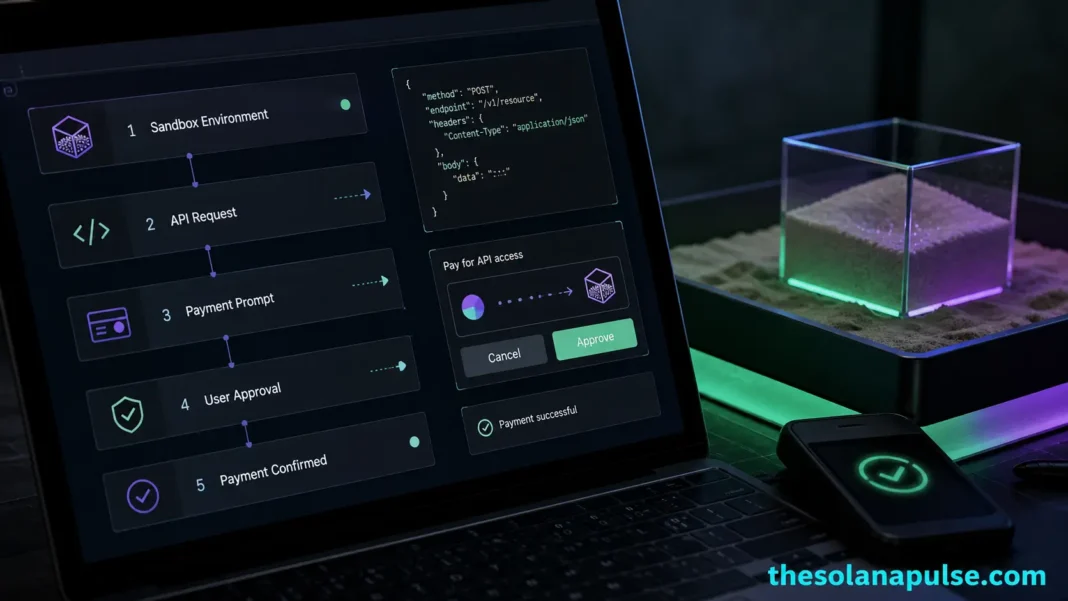
To begin, developers must install the Pay tool, which is available as a prebuilt binary for macOS or as an npm package for other platforms. Once installed, the next step is to create a configuration file named x402-demo.yaml. This file defines the sandbox API, specifying details such as the subdomain, version, and payment routing. The API is then started using the Pay tool, which binds it to a local address, creating a temporary environment for testing.
Executing a Sandbox Payment
With the sandbox API running, developers can launch the Claude Code agent in sandbox mode. This agent acts as a payment-aware HTTP client. A specific prompt is used to make a single x402 API request. The process involves the API returning a ‘402 Payment Required’ challenge, which Pay validates. Upon approval, the sandbox wallet signs the request, and the API returns the result along with a payment receipt. This entire process is simulated, with no real funds being transferred. For more detailed instructions, explore additional Solana guides.