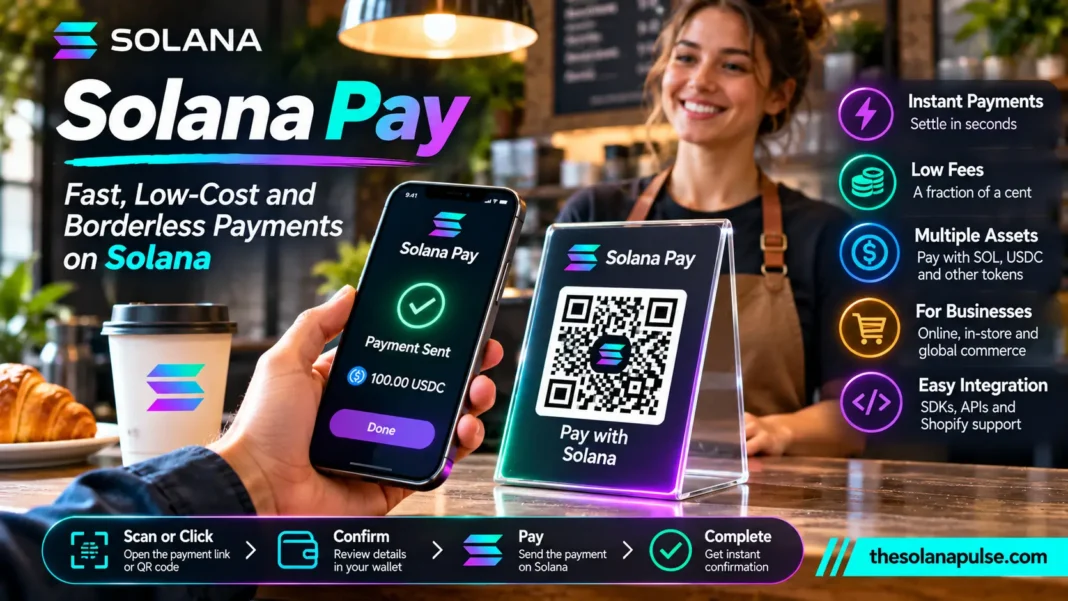
Solana Pay is an open payment protocol that lets applications present a blockchain payment request as a link or QR code. A compatible wallet interprets the request, shows the user what they are being asked to authorize and submits a transaction if the user approves it. Merchants can use the resulting blockchain record to reconcile a sale rather than relying on a customer’s screenshot or a manually copied transaction hash.
This guide explains how Solana Pay works for customers, merchants and developers, including its two request formats, stablecoin settlement, transaction validation, checkout integrations, fees, refunds and security. For the broader context of digital dollars and financial infrastructure, read our Stablecoins on Solana guide and Institutional Hub.
Research reviewed November 25, 2026. Wallet compatibility, merchant integrations and service fees can change. All numerical examples below are illustrative rather than live quotes or a promise of settlement speed.
- Solana Pay is a payment request standard, not a new cryptocurrency, bank account or mandatory payment processor.
- Transfer requests describe a direct SOL or supported token payment; transaction requests let a service construct a transaction interactively.
- A QR code is a request, not evidence of payment. Verify the actual successful on-chain transfer before fulfilling an order.
- Stablecoin payments can reduce exposure to SOL price movements but retain issuer, custody and liquidity risks.
- Network fees, account funding, service charges and conversion costs are separate parts of total payment economics.
- Refunds require a new authorized payment or a supported provider workflow; a settled transaction cannot simply be reversed.
- Unique order references and idempotent backend processing prevent one payment from being counted twice.
- Open the genuine merchant checkout and select its supported Solana payment option.
- Confirm the invoice amount, accepted asset and network. Use a compatible funded wallet.
- Scan the checkout QR code or open its payment link in the wallet.
- Review the recipient, token, amount, fees and any additional instructions before authorizing.
- Submit once, then wait for the transaction and merchant confirmation; do not retry blindly.
- Keep the order number and transaction signature for reconciliation or support.
1. What is Solana Pay?
The essential idea is to standardize the information exchanged between a payment application and a wallet. Instead of displaying an address and expecting the customer to copy every field correctly, a checkout can express the intended recipient and other details in a structured request. A QR code is merely a convenient physical representation of that request. The underlying transfer is executed on Solana, so the normal rules of authorization, token accounting and transaction execution still apply.
There are three distinct layers in a real purchase: the merchant’s order system, the payment request and the blockchain transaction. The order system knows what the customer is buying, its price and whether inventory is available. The request communicates the intended financial action. The transaction records what actually happened on-chain. Mixing these layers creates problems: a generated QR code does not mean money arrived, and a successful transfer does not establish that the correct goods were shipped.
Solana Pay does not require a person to purchase a separate Pay token. SOL is the network’s native asset, while payments can also use supported Solana tokens such as USDC. Some merchants integrate directly with wallets; others use a hosted checkout, conversion provider or payment gateway. The latter arrangement may involve onboarding, custody or service terms that are not part of the open protocol itself.
Official references: Solana Pay developer overview · Accept payments
From invoice to completed order
Record price, accepted asset, recipient and unique reference.
Present a compatible payment link or QR code.
Wallet shows the transaction; customer decides whether to sign.
Backend validates settlement and updates the order once.
A payment request is only the start of the checkout lifecycle.
2. Transfer requests and transaction requests
A transfer request contains enough information for a wallet to construct a conventional payment. This is appropriate for a simple shop purchase, a donation or a fixed-price invoice. A merchant can prepare the request without exposing its private key to the checkout frontend. If a customer scans the request, the wallet still needs to obtain network information and construct a valid transaction; the URL itself cannot debit anyone.
A transaction request instead identifies a web endpoint that interacts with the wallet. The service can compose a transaction using the customer account and the current business context. A checkout may need to calculate an amount, include a supported loyalty action or combine several instructions. The wallet must review and authorize the resulting transaction. This is more flexible but introduces an additional server and a larger security surface.
Do not confuse a server-built transaction with a guaranteed payment. A server may return an expired or invalid transaction, and a malicious endpoint may include instructions that do not match the advertised purchase. The wallet must not treat the existence of a valid request format as proof of a trustworthy merchant. Developers should test the instructions that customers see and make the difference between a simple transfer and a multi-action transaction explicit.
| Feature | Transfer request | Transaction request |
|---|---|---|
| Main purpose | Straightforward asset transfer | Interactive, application-specific transaction |
| Request construction | Structured payment fields | Service endpoint and wallet interaction |
| Typical use | Fixed-price QR checkout, donation | Dynamic checkout, supported loyalty action |
| Additional dependency | Wallet and network access | Endpoint availability and transaction builder |
| Security focus | Recipient, mint and amount | All instructions, signers and account changes |
Official references: Solana Pay specification · Specification 1.1 repository
3. Understanding a payment link and QR code
In a transfer request, the recipient is identified by a public address. Other fields may specify an amount, a token mint, a reference and human-readable context. The fields are encoded as a URL using the Solana payment scheme. A wallet should interpret the structured data rather than asking the customer to reconstruct it manually. Merchants can use library helpers to handle encoding, particularly when labels contain spaces or characters that have a special meaning in URLs.
A practical non-payable schematic is shown below. The placeholders are deliberately not actual addresses: a production checkout must substitute verified values and encode them correctly. For a native SOL request, the token mint parameter is omitted; for a token request, the appropriate mint identifies the asset. The receiving token account is determined according to the asset and wallet integration.
solana:MERCHANT_WALLET?amount=25&spl-token=TOKEN_MINT&reference=ORDER_REFERENCE
| Field | What it communicates | Implementation caution |
|---|---|---|
| recipient | Merchant receiving wallet | Verify against trusted configuration |
| amount | Requested quantity in token units | Use exact decimal arithmetic |
| spl-token | Mint of the requested SPL asset | Never rely only on ticker |
| reference | Public order correlation key | Generate a unique value per payment intent |
| label / message | Human-readable context | Not proof of merchant identity |
| memo | Optional public transaction note | Never include confidential customer data |
A printed QR code can be replaced with an attacker’s sticker, and a QR image on a compromised website can be swapped before it reaches the customer. A label can be copied from a legitimate business. Treat the wallet destination and the genuine checkout as independent checks. A customer should be able to compare the payment details with information from the merchant’s trusted channel, especially for an unusually large invoice.
Official references: Transfer request quickstart · Merchant integration
4. Paying with SOL and stablecoins
Native SOL payments expose both parties to the market price of SOL unless the merchant immediately converts the received funds. An invoice denominated in dollars may need a quote that converts the price to a SOL amount at checkout. A merchant should define the quote validity period and what happens when a payment arrives after that period. Otherwise, a short-lived price quote can turn into a dispute even when the customer sends exactly the quantity displayed earlier.
A USDC-denominated invoice keeps the requested token amount closer to its dollar reference and makes ordinary accounting easier to interpret. It does not create a guaranteed bank deposit. The merchant receives a digital asset, whose conversion into bank funds depends on the provider, issuer and applicable eligibility. Native USDC on Solana should be identified using the issuer’s official mint information; a token with the same name or symbol may not be the intended asset.
For SPL assets, the receiving wallet and the account that stores a particular token balance are separate concepts. An associated token account may need to be created during the transaction. A compatible wallet or payment integration should handle this explicitly and identify who funds the account. Token-2022 assets can introduce additional requirements such as transfer extensions, and support should be verified before advertising acceptance. A stablecoin’s existence on Solana does not establish compatibility with every Solana Pay implementation.
Official references: Circle USDC on Solana · Payment mechanics · Verify receiving addresses
5. A customer’s checkout workflow
Begin on the merchant’s genuine checkout page. Confirm that the order, total price, delivery terms and selected payment asset are correct before opening the wallet. On mobile, a payment link may switch to a compatible wallet; at a physical shop, the customer may scan a QR code displayed at the till. Not every camera or wallet recognizes the same payment scheme, so merchants should provide a documented alternative rather than asking customers to paste secrets into a browser.
The wallet review is the last opportunity to reject an unintended action before authorization. Compare the amount and asset against the invoice, check the destination and read any extra instructions. A normal purchase should not require a recovery phrase. If the wallet warns that a transaction changes authority or grants spending permission unrelated to the purchase, stop and contact the merchant through its trusted support channel. A legitimate checkout can be restarted after the discrepancy is resolved.
Once submitted, keep the transaction signature and the order identifier. A wallet may show a successful transfer before the merchant’s backend has matched it to the invoice. Do not create another payment merely because a browser tab times out. Ask the merchant to reconcile the first transfer and check its status independently using How to Use Solscan. For ordinary address-based transfers, see How to Send and Receive SOL Safely.
6. Designing a merchant checkout
A merchant should start with an order record, not a wallet balance. The order record needs an immutable identifier, expected asset and amount, destination, creation time, expiry policy and a status. The checkout should render the payment request from server-approved order data. A price submitted by the browser must not be trusted without verifying the product and amount on the server. This is a standard commerce requirement even when the settlement rail is a blockchain.
A unique public reference can be generated for each payment intent. This allows the service to search for relevant transactions without requiring a customer to copy a signature manually. A reference is an identifier for discovery and correlation, not a credential or cryptographic guarantee of the amount received. Anyone who learns a public reference may be able to include it in another transaction, so the backend must validate the transfer itself.
The receiving wallet configuration should be managed separately from the public frontend. A merchant does not need to expose a receiving private key to generate an ordinary invoice. For hosted services, determine whether the merchant or provider controls the receiving assets and how withdrawals are authorized. Where a payment integration also needs to sign sponsored transactions, isolate the fee-payer signing service from the main treasury.
Official references: Merchant integration · Backend payment verification
7. How to verify a payment before shipping
Finding a transaction by reference is the beginning of verification. The backend needs to confirm that execution succeeded, the transaction reached the required confirmation level, the correct asset and amount reached the expected recipient, and the reference belongs to the intended order. A service may use a library validation helper for conventional transfers and additional checks for a custom transaction. Verification should match the actual supported transaction format rather than assume that every transaction referencing an address is a payment.
Use exact integer units for token amounts wherever possible, especially in database and backend logic. For example, a six-decimal asset can represent 25.50 units as 25,500,000 base units. Floating-point arithmetic may produce subtle comparison errors near a payment threshold. Define explicitly whether overpayments are accepted, how partial payments are treated and how transfer-fee tokens affect the amount that the merchant must actually receive.
A transaction signature must not be accepted for multiple unrelated orders. Enforce uniqueness in durable storage and make the transition to a paid status atomic. If the same confirmation callback arrives twice, the order should remain paid without triggering a second shipment, download or inventory deduction. A failed verification should leave a record that support staff can investigate without treating an error message as a request to collect another payment immediately.
Backend payment verification
Find candidate signature by reference or trusted payment record.
Check successful execution, asset, recipient, amount and order reference.
Reject reuse of an already allocated payment signature.
Commit paid status once and deliver through the order system.
The reference locates a transaction; validation and durable order state establish payment acceptance.
Official references: Backend payment verification · Production checkout · Transfer request quickstart
8. Payment status, timeouts and late settlement
A production order state machine needs more than paid and unpaid. A customer can abandon checkout, reject wallet approval, submit a transaction that fails, or complete payment after the invoice is considered expired. An RPC provider may temporarily fail to return data, while another provider can already observe the transaction. These scenarios call for distinct handling because the appropriate response to an uncertain payment differs from the response to a confirmed failure.
| Status | Meaning | Recommended handling |
|---|---|---|
| Pending | Invoice exists; no verified payment | Allow normal checkout until expiry |
| Processing | Candidate transaction under review | Reconcile before asking for a retry |
| Paid | Verified transfer matched to order | Fulfill once |
| Expired | Checkout validity elapsed | Check late payments before closing case |
| Exception | Wrong amount, asset or other mismatch | Manual review with documented policy |
| Refunded | Separate refund confirmed | Store refund signature and amount |
An invoice expiry is a business rule, not an instruction that automatically blocks a simple transfer on-chain. A saved payment link may still be used after its merchant-facing countdown ends. If that happens, the service needs a policy for recognizing the funds and deciding whether to honor the original sale or arrange a refund. The customer should not be left without a record merely because the purchase interface is no longer active.
For high-volume services, a background reconciliation process can detect missed notifications and revisit unresolved orders. Design the process around bounded retries and durable records instead of endlessly polling every historical order. Confirmation policy, provider selection and monitoring should reflect the value of the goods and the consequences of fulfillment errors. Fast network settlement is helpful, but it does not remove the need for reliable operational systems.
9. Network fees and the true cost of a payment
The network transaction fee is denominated in SOL even when the customer transfers a stablecoin. It includes the applicable signature-related base fee and may include a prioritization fee. Account creation may also require funding. The party designated as fee payer authorizes the network charge; sponsored transactions can assign that role to a service rather than requiring the customer to hold SOL. Sponsorship is a feature of the specific integration, not a universal feature of every payment link.
The merchant’s business cost can be considerably larger than the network fee. A payment provider may charge for processing, an exchange may charge for converting USDC into fiat, and an off-ramp may have minimum withdrawals or bank charges. Reconciliation, fraud prevention and customer support also require resources. Compare the complete cost of a transaction with an existing payment method rather than comparing only blockchain fees with the other provider’s full merchant tariff.
| Illustrative cost item | Amount | Party in this example |
|---|---|---|
| Invoice | 100 USDC | Customer pays merchant |
| Network fee | 0.000005 SOL | Customer pays network |
| Service charge | 0.50 USDC | Merchant expense |
| Conversion charge | 0.30 USDC | Merchant expense |
| Net after modeled charges | 99.20 USDC equivalent | Merchant |
In this example a hypothetical SOL price of $100 makes the specified network fee worth $0.0005. It is not deducted from the 100 USDC invoice because the customer pays it separately in SOL. The merchant receives 100 USDC before its two modeled business charges; after those charges the net value is 99.20 USDC equivalent, assuming parity with USD. Actual fee schedules and conversion rates must be checked separately. An additional token account funding expense, if required, would also need to be accounted for by whichever party pays it. See Solana Transaction Fees Explained for the broader fee model.
Official references: Payment mechanics · Fee abstraction
10. E-commerce, point of sale and hosted providers
An online shop can offer a payment option alongside other checkout methods. The integration connects its order system to a compatible payment service, then uses verified settlement to update the order. Shopify’s documentation lists Solana Pay among cryptocurrency payment options; specific availability, installation requirements and supported regions should be checked in the store administration and provider documentation. A historical partnership announcement alone is insufficient evidence that every merchant can activate the integration today.
For a physical point of sale, the checkout can display a dynamic QR code for each invoice. The cashier should see the merchant terminal’s own verified payment status rather than accept a screen held up by the customer as proof. A printed static donation code can be appropriate when no individual order needs tracking, but it is a poor substitute for a unique invoice in a busy store where several customers may send the same amount within seconds.
A hosted gateway may simplify payment detection, settlement reporting and fiat conversion. It may also introduce custody, service interruptions and account restrictions. Read the terms, withdrawal limits and refund process before choosing one. A direct integration gives the merchant more responsibility for its own backend and custody but can reduce dependence on a provider. The choice is an operational decision, not simply a preference for decentralization.
Official references: Shopify crypto payment help · Solana Pay commerce integration · Accept payments
11. Transaction requests and programmable commerce
A programmable checkout can combine a payment with additional application actions in one transaction when all the instructions can be executed together. For example, an application could transfer a payment and issue a digital receipt or collectible under a supported program. The transaction’s atomic execution can prevent one of those on-chain instructions succeeding while another fails. That property does not extend to external systems, such as a warehouse database, email delivery or a bank transfer.
The service endpoint must build the requested transaction for the correct customer and current order. Avoid returning unsigned instructions from untrusted user input without checking the allowed programs, amounts and account addresses. If the service needs to sign part of the transaction, establish the exact instruction policy before applying that signature. A fee sponsor should not authorize arbitrary transactions simply because an external caller supplied a valid wallet address.
Wallets differ in their ability to present complex instructions intelligibly. Developers should test the actual review screens with representative wallets and transaction sizes, then document supported combinations. If an optional loyalty feature makes the payment difficult to inspect or introduces an unsupported account extension, offer a simple payment alternative. A customer should not need to understand an entire custom program merely to pay for ordinary goods.
Official references: Specification 1.1 repository · Fee abstraction
12. Refunds, disputes and accounting
A completed blockchain transfer cannot normally be canceled through a card-style chargeback. A refund is a separate transfer authorized by the merchant or a supported payment provider. That transfer needs its own record, reason, asset, amount and verified recipient. A refund to the address that originally funded a transaction may be inappropriate when the payer used an exchange, custodian or service that expects a different deposit workflow. Verify the destination through an established support process.
Define refund terms before accepting payment. A business should state whether the refundable amount is the original token quantity or a fiat-denominated amount converted at the refund date, how fees are treated, and what happens when a stablecoin depegs. These are business and legal questions, not outcomes automatically determined by the payment protocol. Local obligations and consumer protections may still apply even if the settlement is on-chain.
An accounting export should retain invoice identifier, time, token mint, quantity, transaction signature, exchange-rate evidence where relevant, provider charges and settlement or refund status. Distinguish gross sales from funds converted into fiat and from the treasury balance still held in crypto. The blockchain can establish transaction facts, but the merchant must connect those facts to the business records that explain why a payment was made.
Official references: Solana payment checkout · Shopify crypto payment help
13. Security, privacy and fraud prevention
The payment address, amount and optional memo may become visible on the public chain. Do not place a customer name, email address, delivery address or private order details in a memo. Use an opaque public reference linked to a protected internal record. Public transaction data also means a repeatedly used merchant receiving address can reveal patterns of activity. Consider privacy requirements and operational implications when designing the account model, without promising anonymity that the blockchain does not provide.
The merchant’s receiving and refund keys require distinct protections. Limit the number of people who can authorize withdrawals, maintain secure recovery procedures and review changes to checkout configuration. A compromised website may display a fraudulent destination even if the merchant treasury key remains safe. Audit the receiving address shown to customers and alert operators when critical settings change unexpectedly.
Customers should be wary of fake support accounts, QR codes forwarded by strangers, requests to pay a release fee and websites that ask for recovery phrases. Merchants should verify screenshots against their own transaction records, guard against reused signatures, and investigate mismatched tokens instead of treating a symbol as proof. Read Solana Wallet Security and Solana Scams and Phishing for additional defensive practices.
14. Production readiness and business fit
Before going live, test a complete sale on the appropriate test environment and then validate the actual supported mainnet configuration with a controlled low-value transaction. Include wallet rejection, failed transfer, wrong mint, duplicate callback, expired invoice, late payment, partial payment and refund scenarios. Document what the cashier or customer support representative should do when the blockchain confirms a transfer but the order is not yet updated.
Measure the time from checkout creation to validated order status rather than recording only network confirmation speed. Monitor RPC availability, failed transaction rates, queue delays and unresolved payment exceptions. Prepare a way to pause new payment requests when an integration is unhealthy while preserving the ability to reconcile money already received. Keep an independent record of payment identifiers and avoid making fulfillment depend on a single unverified frontend event.
Solana Pay is especially relevant when the merchant’s customers already use compatible wallets, when digital-dollar settlement has operational value, or when programmable checkout provides a concrete feature. It may be less suitable when customers rely on conventional cards, require familiar dispute handling, or when conversion and compliance costs outweigh the settlement benefits. Evaluate both the technical capability and the business model. For other financial applications built around Solana assets, visit the DeFi Hub.
Official references: Production checkout · Accept payments
Frequently asked questions
Is Solana Pay a cryptocurrency?
No. It is a payment request protocol. SOL and supported tokens are assets used in transactions.
Do I need a particular wallet?
You need a wallet or payment integration that supports the selected request format and asset. Check current compatibility.
Can I pay with USDC?
Yes, where the merchant and wallet support the appropriate Solana USDC mint.
Do I need SOL to pay fees?
The network fee is paid in SOL. A supported sponsor can pay it on your behalf; otherwise the fee payer needs SOL.
Does scanning a QR code send funds?
No. A compatible wallet interprets the request and asks for authorization.
What is a payment reference?
A public identifier that helps correlate a transaction with a particular payment intent; it does not establish payment by itself.
What if my checkout expires after payment?
Keep the signature and contact merchant support. The merchant should check the transfer against its late-payment policy.
Can a payment be reversed?
Not through an ordinary reversal of a settled transfer. A refund generally requires a new authorized transaction.
Does Solana Pay work with Shopify?
Shopify lists a Solana Pay integration. Check current provider availability and merchant eligibility.
Is a successful transaction screenshot sufficient?
No. A merchant should independently verify the transaction and reconcile it with the correct order.
Can payment links contain customer data?
Avoid sensitive information in links, references and on-chain memos; keep private order records separately.
Does Solana Pay eliminate all payment fees?
No. Network fees, account funding, provider charges and conversion costs may apply.
Final thoughts
Solana Pay provides a common way to express wallet-authorized payments, but a reliable checkout depends on much more than generating a QR code. The merchant must connect the financial request to a durable order record, validate what actually settled and handle exceptions without collecting the same payment twice.
For customers, the essential habit is to verify the request before signing. For merchants and developers, success is measured by correct reconciliation, secure custody and predictable customer support, not by advertised network speed alone.
Official sources and further reading
- Solana Pay developer overview
- Solana Pay specification
- Transfer request quickstart
- Specification 1.1 repository
- Merchant integration
- Payment mechanics
- Accept payments
- Backend payment verification
- Production checkout
- Fee abstraction
- Shopify crypto payment help
- Solana Pay commerce integration
- Circle USDC on Solana
- Solana payment checkout
- Verify receiving addresses